Will a protein tracking app still work if I set my phone to grayscale?
Yes, as long as the app never uses colour as its only signal. Grayscale removes hue and leaves lightness, so text, shapes and sizes read exactly as before. Progress rings, filled shapes and labelled numbers survive. What breaks is a colour coded chart with no labels, a red or green status with no icon, and a button whose only cue is its tint.
Key takeaways
- Grayscale removes hue and keeps lightness, so anything that reads by shape, size, position or label comes through unchanged.
- The usual casualty is a colour coded chart: five segments in five colours become five segments in five near identical greys.
- One small crossover trial recorded 28 fewer minutes of daily screen time on grayscale. It ran in 51 medical students, so treat it as preliminary.
- Building for grayscale is the same work as building for colour vision deficiency, which affects roughly 1 in 12 men.
- On iPhone the switch is Settings, Accessibility, Display and Text Size, Color Filters. On Android, Bedtime mode can do it on a schedule.
Why a phone ends up in black and white
Two groups arrive at the same setting from opposite directions.
The first want to use their phone less. Stripping the colour out takes away most of what makes an icon or a badge pull at you, and a crossover trial in 51 first year medical students recorded an average of 28 fewer minutes of daily phone use in the grayscale week than in the colour week.1 That is a feasibility trial in one small group, not a settled result. The same paper notes the other half of what happened: some tasks got harder. It does not say which ones. This page is about which ones.
The second group has no choice in it. Roughly 1 in 12 men have a colour vision deficiency,3 and an app that marks "behind" in red and "on track" in green has already failed them with the colour turned on. The work that makes an app survive grayscale is the same work, which is why the accessibility standard writes it as a rule rather than a preference: colour must never be the only thing carrying a message.2
What grayscale takes and what it leaves
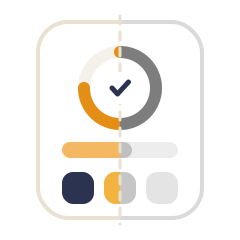
Grayscale removes hue and keeps lightness. Pale stays pale, dark stays dark, and every relationship built on light against dark comes through untouched. Text does not get harder to read, and contrast does not change at all.
What vanishes is any difference that was carried by hue alone: two chart segments of the same weight in different colours, a red and a green of similar darkness, a selected tab whose only cue is a tint.
| Reads without colour | Needs colour | |
|---|---|---|
| Daily progress | A ring or bar that fills, with the number written on it | A dot that turns from red to green |
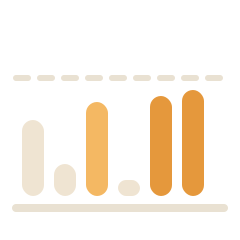
| A week at a glance | Bars of different heights, days labelled | Seven squares in a heat map palette |
| Nutrient breakdown | Each nutrient has its own icon and its own name | A key that matches colours to names |
| Goal reached | The shape completes, or a tick appears | The same shape, now in green |
| Selected option | A border, a tick, a filled background | Text in the accent colour |
Test the app you already use, in two minutes
Turn grayscale on before you decide anything. On iPhone: Settings, Accessibility, Display and Text Size, Color Filters, then Grayscale.4 Add Color Filters to Accessibility Shortcut while you are there and a triple click of the side button toggles it, which makes the test cheap to undo. On Android, Digital Wellbeing carries a Grayscale option under Bedtime mode that changes the screen to black and white on a schedule,5 and most phones also keep a colour correction switch under Settings, Accessibility, on a path that moves around by manufacturer.
Then open the app and go looking for trouble.
- The main screen: can you still tell how far through the day you are, without reading the number twice?
- The weekly view: can you tell a good day from a poor one?
- Any chart with more than two series: can you still say which line or segment is which?
- The logging buttons: can you tell them apart by their icons alone?
- Warnings and errors: is anything shouting at you in a colour you can no longer see?
A tracker that passes this is usually a tracker that was built around one clear number rather than a dashboard, because a dashboard is where colour coding becomes unavoidable.
How Protein Buddy handles it
Protein Buddy is our app, so here is how it answers that checklist.
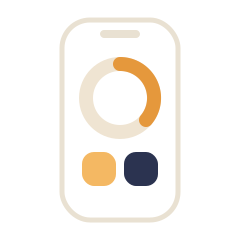
Protein Buddy is built so that state is carried by shape and fill, not by hue. The character on the home screen is the progress bar: it assembles block by block as you log, so how far along you are is a height, which survives any filter. In the week strip, a partial day is an arc whose length is the progress, a day that hit the goal is a solid filled oval, and today is a solid oval in dark ink. Three states, three shapes, before colour is considered. Where the app shows nutrients side by side, each one carries its own glyph and its own written name next to its number, not a colour key. The one dotted chart in History spells the rule out in its own caption: bigger dots mean bigger portions.
All of it comes from one rule: a number you have to decode is a number you stop logging. Grayscale simply rewards the same discipline.
Logging should not be a second job
Grayscale is a small example of a larger thing worth asking of any tracker: how much of your attention does it want in exchange for one number?
Food logging fails for a boring reason. It is not that people stop caring in week three, it is that the app asked for five minutes a day and got it for eleven days. Everything we build is aimed at the other direction, at getting the log to happen without a screen at all where possible.
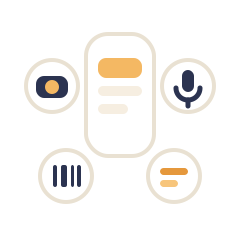
- Say it. Ask Siri on an iPhone to log protein in Protein Buddy, answer how many grams, and it is in your day without the app opening. Inside the app, voice logging takes a whole sentence with several foods in it.
- Glance at it. A widget on the home or lock screen shows where you are, and its buttons start a log. Widgets are the version of tracking that asks for nothing, which is why they outlast the habit of opening apps.
- Point at it. A photo of the plate, or a barcode for anything with a packet. The four logging methods each exist for a different meal, and the fastest one is whichever needs the least from you at that moment.
- Keep it to one number. Protein only, by default. Tracking one number instead of a full macro breakdown is the single biggest reduction in daily effort available, and it is the reason the screens stay simple enough to work in grey.
If you are going to turn your phone black and white, do it. It is free, it reverses in one triple click, and the worst case is that you find out which of your apps were only ever holding your attention with colour.
More questions about Tracking and apps
Does grayscale mode break apps?
Only the parts that used colour as the only signal. Grayscale keeps lightness, so text, icons, layout and anything sized or shaped stays readable. Colour coded charts without labels, status dots that rely on red against green, and selected states shown only by a tint are the three things that stop working.
How do I make my iPhone screen black and white?
Settings, Accessibility, Display and Text Size, Color Filters. Turn Color Filters on and pick Grayscale. To make it quick to undo, add Color Filters to Accessibility Shortcut and it toggles on a triple click of the side button.
How do I make my Android screen grayscale?
Most phones put it in Digital Wellbeing under Bedtime mode, where Grayscale changes the screen to black and white on a schedule. Many Android phones also carry a colour correction or grayscale switch in Settings, Accessibility, though the exact path changes by manufacturer.
Does grayscale really reduce screen time?
The evidence is early and points that way. A crossover trial in 51 first year medical students found an average of 28 fewer minutes of phone use per day during the grayscale week than during the colour week. One small trial in one group is not a settled finding, and participants also reported that some tasks got harder.
Can I still log protein with my phone in grayscale?
Yes, if your tracker earns it. Logging by voice, by photo or by widget does not depend on colour at all. The screens to check are the daily progress view and any weekly chart, since those are where apps lean hardest on colour to tell you where you stand.