Is there a protein tracker widget for iPhone?
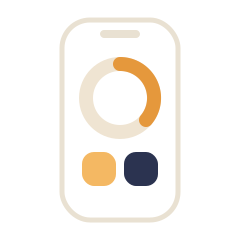
Yes. Protein Buddy puts today's protein on the iPhone Home Screen in a small or medium widget, and on the Lock Screen as a ring or a Quick Log row of buttons that open logging. Android gets one resizable Home Screen widget plus an optional Lock Screen progress notification. The widgets are free, and adding one takes under a minute.
Key takeaways
- On iPhone there is a Home Screen widget in small and medium, and two Lock Screen widgets: Protein Ring for the number and Quick Log for the buttons.
- On Android there is one Home Screen widget that you resize: narrow shows your grams and a camera button, wider adds your streak and up to three buttons.
- On Android, Lock Screen progress keeps today's total and three logging buttons on the Lock Screen, one switch in Settings, Widgets.
- A widget does two jobs: it shows what is left today without opening anything, and its buttons open logging directly.
- The useful glance is mid-afternoon, the last point at which dinner can still close the gap.
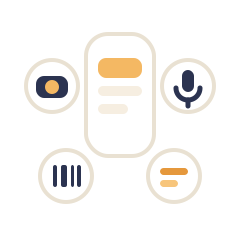
The two phones get different sets. On iPhone, Protein Buddy has a Home Screen widget and two Lock Screen widgets. On Android there is one Home Screen widget you can resize, plus Lock Screen progress, which keeps today's total on the Lock Screen. The ones with a number show today's protein against your goal, and the ones with buttons open logging directly.
What you can add on each phone
| iPhone | Android | |
|---|---|---|
| Home Screen widget | Protein Buddy, in small or medium | Protein Buddy, one widget you resize |
| What it shows | Today's grams or percent, and the character building up as you log | The same: grams or percent, and the character |
| Buttons | Small: a camera button. Medium: your streak and up to three buttons you choose | Narrow: a camera button. Wider: your streak and up to three buttons you choose |
| Lock Screen | Protein Ring (a circle, a rectangle or a line of text) and Quick Log, a row of four logging buttons | Lock Screen progress: today's total, with Manual, Voice and Photo buttons |
| Live progress | A Live Activity on the Lock Screen and in the Dynamic Island, on by default | Lock Screen progress, one switch in Settings, Widgets |
| Cost | Free | Free |
Add it on iPhone
The Home Screen steps are Apple's own,1 with Protein Buddy's names filled in.
- Touch and hold an empty spot on the Home ScreenKeep holding until the apps jiggle.
- Tap Edit, then Add WidgetEdit is in the top corner.
- Search for Protein Buddy and select itThe widget is called Protein Buddy.
- Swipe to small or medium, then tap Add WidgetSmall shows your grams and a camera button. Medium adds your streak and up to three buttons.
- Tap DoneDrag it where you want it first, if you like.
Lock Screen widgets need iOS 16 or later. If the row under the time is already full, remove a widget there to make room.
- Touch and hold the Lock Screen until Customize appearsThen tap Customize.
- Tap Add WidgetsIt is the box just below the time.
- Find Protein Buddy in the listTap it to see its Lock Screen widgets.
- Tap Protein Ring or Quick LogProtein Ring comes as a circle, a rectangle or a line of text above the time. Quick Log is a row of four buttons, including manual entry, voice and the camera.
- Swipe the list down and tap DoneThe new widget sits under the time.
The Live Activity needs no setup. It is on by default and starts when you open the app: today's goal, the grams you have left and your streak stay on the Lock Screen and in the Dynamic Island, with buttons into logging. The switch is in Settings, Widgets.
To choose the medium widget's buttons, open Protein Buddy, tap the sliders icon at the top right of Home, then Widgets. Under Quick actions pick up to three. Display switches the number between grams and percent, and Appearance sets Auto, Light or Dark.
Add it on Android
These follow Google's steps for any widget;2 the wording differs a little between phone makers.
- Touch and hold an empty space on a Home ScreenNot an app, the space between them.
- Tap WidgetsThe list of apps with widgets opens.
- Find Protein BuddyTap it to see the widget.
- Touch and hold the widget, slide it into place, lift your fingerDrop it where you want it. The next step sets its size.
- Resize it to choose the layoutTouch and hold the widget, lift, then drag the dots. Narrow shows your grams, the character and a camera button. Wider adds your streak and up to three buttons.
- For the Lock Screen, turn on Lock Screen progressIn Protein Buddy: the sliders icon at the top right of Home, then Widgets, then Lock Screen progress. An ongoing notification shows your total against your goal, with Manual, Voice and Photo buttons.
On Android the same Widgets screen holds Quick actions, Display and Appearance for the Home Screen widget. Lock Screen progress uses notifications, so keep them allowed for Protein Buddy.
What a widget is for
Two jobs, and they are different.
Seeing where you stand. One number against one target, visible without unlocking or opening anything. This is a glance, and glances are close to free.
Starting a log in one tap. A widget button opens manual entry, the camera or voice directly, skipping Home and the menu.
Both make tracking more likely to happen, and a habit that happens is the only kind that works.
Why removing one step matters this much
Logging's only real competitor is not bothering, and at that margin very small friction decides things. Four steps, each trivial:
- Unlock the phone.
- Find the app among everything else on the screen.
- Wait for it to load.
- Tap through to the entry screen.
Together they are enough to lose the moment when you were standing in the kitchen with the yogurt pot in your hand, which is the only moment the entry was ever going to happen in.
The self-monitoring literature consistently associates continuing to track with better outcomes.3 Most food logging fails by abandonment rather than by arithmetic, so anything that makes the act cheaper works on the real failure.
The mid-afternoon glance
There is one moment in the day when the number is still worth acting on, and it is not the evening.
| What it tells you | What you can do | |
|---|---|---|
| Morning | Almost nothing yet | Nothing useful |
| Mid to late afternoon | Whether the day is on track | Make dinner carry more, or add a snack |
| Bedtime | Exactly how the day went | Nothing, the day is over |
That middle row is the reason the feature exists. The value of a running total is entirely in whether it arrives while there is still time to act on it, and a number you have to open an app to find usually arrives too late.
Where a Lock Screen widget fits
It is the cheapest possible version of the glance, with no unlock and no app launch, and it is built for the one question that matters at that moment: how much is left.
One clear number suits a protein target far better than a macro grid would, which is one of the quiet advantages of tracking one number instead of four.
A single number and a ring that fills is also the version that survives whatever your phone is doing to the screen, which matters more than it sounds if you have ever set your phone to black and white to use it less.
Where it fits with the logging methods
A widget is a shortcut into the methods rather than a method of its own. Which one suits which meal still applies: barcode for packaged food, photo for a plate you did not assemble, voice when your hands are busy, manual for the things you already know.
In practice manual is the one most widget taps lead to, because most people's protein comes from a short list of foods they eat on repeat, and re-adding one from the Recent list is faster than any camera.
In Protein Buddy
Every widget above is free, on iPhone and on Android, where the widget carries up to three logging buttons. Manual entry and barcode scanning are free with no limit; photo, voice and Protein Scout start you with 3 free tries each. On iPhone, Siri logs grams without the app opening at all: say “Log protein in Protein Buddy” and answer how many grams.
In Protein Buddy, the setup questions give you a personal daily target, so the widget has a goal to fill from the first day. Download it, add the widget tonight, and what to do in your first week covers the part that comes after.
More questions about Tracking and apps
Is there a protein tracker widget for iPhone?
Yes. Protein Buddy has a Home Screen widget in small and medium sizes, showing today's grams while the character builds up as you log, and two Lock Screen widgets: Protein Ring for the number and Quick Log for a row of logging buttons. A Live Activity can also keep today's progress on the Lock Screen and in the Dynamic Island.
Can I see my protein on the iPhone Lock Screen?
Yes, on iOS 16 or later. Touch and hold the Lock Screen, tap Customize, then Add Widgets, and pick Protein Ring or Quick Log under Protein Buddy. The Live Activity, which is on by default, also shows the grams left and your streak, with buttons into logging.
Can I see my protein on the Android Lock Screen?
Yes. Turn on Lock Screen progress in Protein Buddy's Widgets settings: your total against your goal and the grams left stay on the Lock Screen, with Manual, Voice and Photo buttons to log straight away.
Can I log protein straight from the widget?
The buttons open the logging screen directly, skipping Home: manual entry, voice or the camera. On iPhone, Siri can log grams without opening anything: say “Log protein in Protein Buddy” and answer how many grams.
Are the widgets free?
Yes, every widget is free. Manual entry and barcode scanning are free with no limit, and photo, voice and Protein Scout come with 3 free tries each.
When is the useful moment to look?
Mid to late afternoon. That is the last point at which you can still do something about the day, by making dinner carry more or adding a snack. Checking at bedtime tells you an interesting fact about a day you can no longer change.
How does a widget help me hit my protein goal?
It makes logging happen. The self-monitoring research rewards people who keep logging, and a widget turns keeping into a glance and a tap.